
Job Apply Rules: Setup & Configuration
Apply → Job Apply Rules
Job Apply Rules give you precise control over which questions and personal information candidates see when they apply for a job, automatically, at scale, and without manual setup on every role.
This is where Boostie turns your apply flow into a smart, adaptive experience that balances conversion, qualification, and consistency across all jobs.
How to Access Job Apply Rules
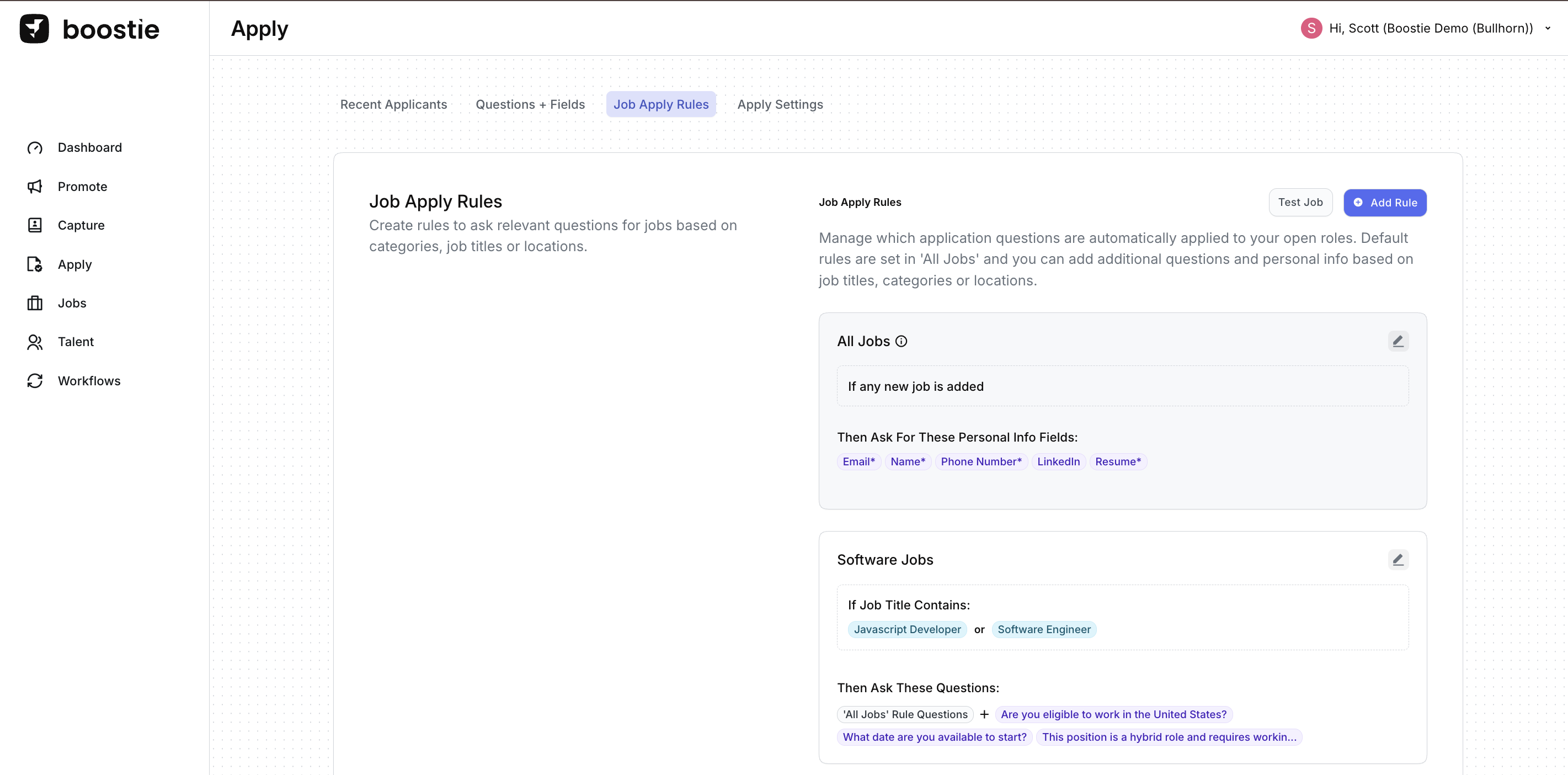
- From the left-side navigation, click Apply
-
On the Apply page, use the top navigation to select Job Apply Rules
(You’ll move here from the Recent Applicants view)
What Job Apply Rules Do
Job Apply Rules determine:
- Which personal info fields are required (example: email, phone, resume)
- Which application questions are asked
- When and why those questions appear, based on job criteria
Rules apply automatically as jobs are added or updated, ensuring every applicant gets the right experience without extra recruiter effort.
Why It Matters
Job Apply Rules help teams:
- Reduce drop-off with shorter, smarter applications
- Ask qualifying questions only when they matter
- Standardize screening across roles and teams
- Scale hiring without adding admin work
The result: higher-quality applicants, faster decisions, and a better experience for everyone involved.
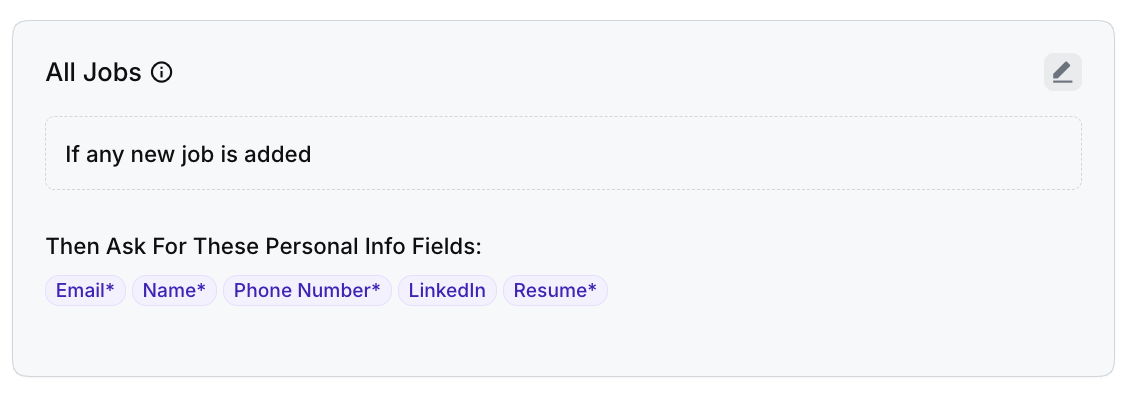
Default Rule: All Jobs
Every Boostie account includes a default All Jobs rule.
How it works:
- Trigger: If any new job is added
- Outcome: Applies baseline personal info fields to every application
This ensures consistency across your entire job catalog and creates a reliable foundation for candidate data capture.
Targeted Rules by Job Criteria
You can layer in additional rules to customize the apply experience for specific roles.
Rules can be triggered by:
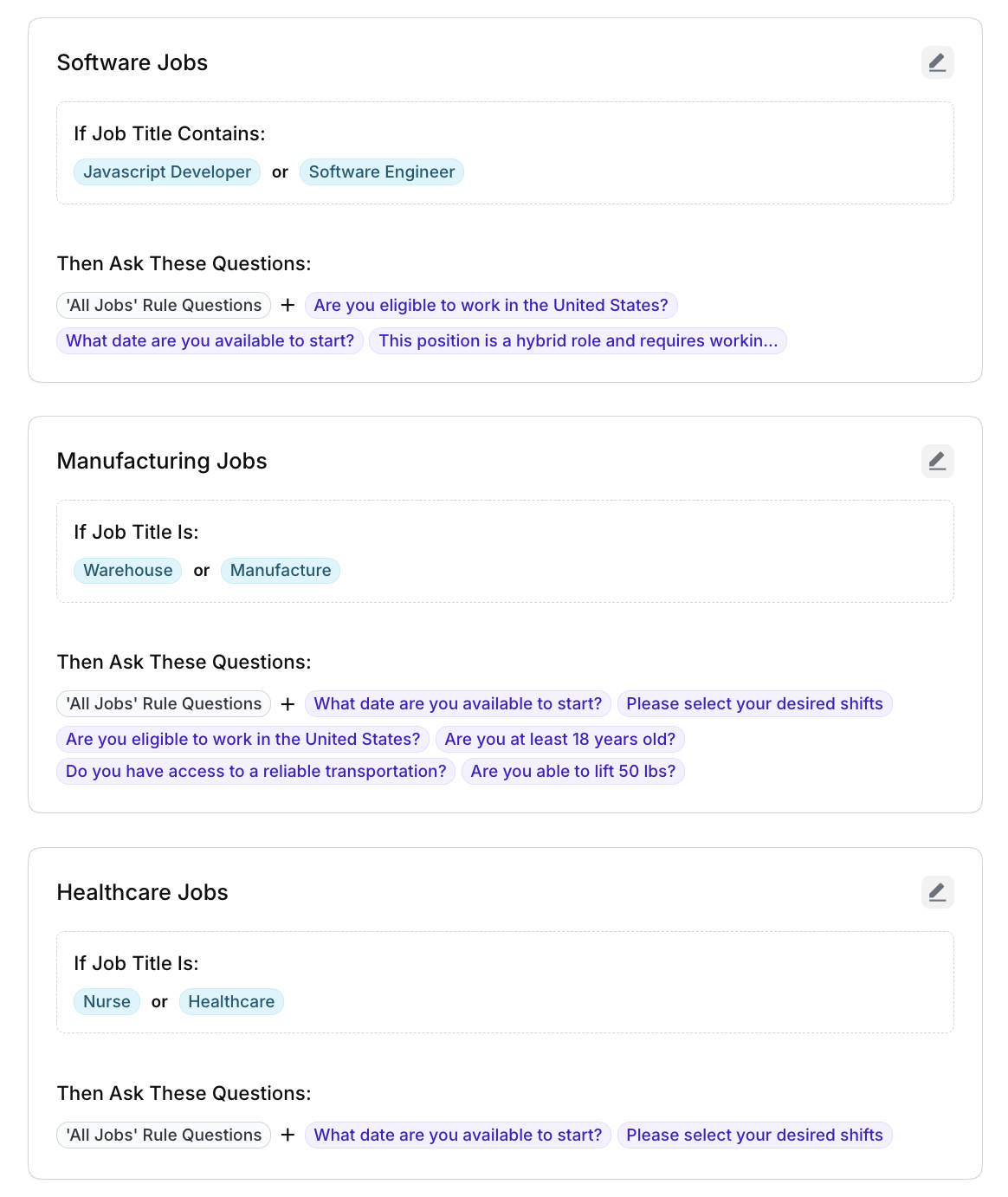
- Job Title keywords (example: “Software Engineer”, “JavaScript Developer”)
- Job categories
- Locations
When a job matches the rule criteria, Boostie automatically:
- Adds role-specific questions
- Inherits questions from broader rules (like All Jobs)
- Keeps the application flow clean and relevant for the candidate
Pro Tip
Use broader rules (like All Jobs) for core info, then layer targeted rules for role-specific screening. Boostie handles the logic, your team focuses on hiring.
How to Think About Job Apply Rules: “If This, Then That”
At its core, Job Apply Rules follow a simple, powerful concept:
If a job meets certain conditions, then Boostie automatically asks the right questions or collects the right information.
This logic lets you design a structured, consistent apply experience, while still tailoring questions based on the type of job a candidate is applying for.
Global Rules: All Jobs
Start with rules that apply everywhere.
Example:
-
IF any new job is added
THEN ask for these personal info fields:
- Name
- Phone Number
- Resume
This ensures every applicant, regardless of role or category, provides the foundational information your team needs. These fields and questions are always included unless explicitly removed.
Think of this as your baseline apply experience.
Targeted Rules: Role or Category Specific
Once your baseline is set, you can layer in more specific rules for certain job types.
Example: Software Jobs
-
IF the job title contains “Software Engineer” or “JavaScript Developer”
THEN ask:
-
All questions from the All Jobs rule
Plus role-specific questions like:
- Work authorization
- Start date
- Hybrid or onsite requirements
-
Example: Manufacturing Jobs
-
IF the job title contains “Warehouse” or “Manufacturing”
THEN ask:
-
All questions from the All Jobs rule
Plus job-relevant screening questions such as:
- Age requirements
- Ability to lift weight
- Transportation access
- Shift availability
-
Where the Questions Come From
All questions used in Job Apply Rules are created and managed in Apply → Questions + Fields.
Rules simply determine when those questions appear to the applicant.
Why This Matters
Thinking in “If this, then that” terms helps you:
- Keep applications short and relevant
- Avoid asking unnecessary questions
- Standardize screening across roles
- Automatically scale as new jobs are added
Boostie handles the logic behind the scenes, so every applicant sees a tailored, intentional apply flow without manual setup per job.