
Jobs: Overview, Management & Applicant Review
Jobs Overview
The Jobs module is where Boostie centralizes every role from your ATS and layers in real-time applicant activity, performance insights, and AI-driven fit scoring - all in one place.
This is your day-to-day hub for managing jobs, reviewing candidates, and optimizing how Boostie evaluates fit.
Accessing Jobs
Step 1: Open Jobs
From the left-hand navigation, click Jobs.
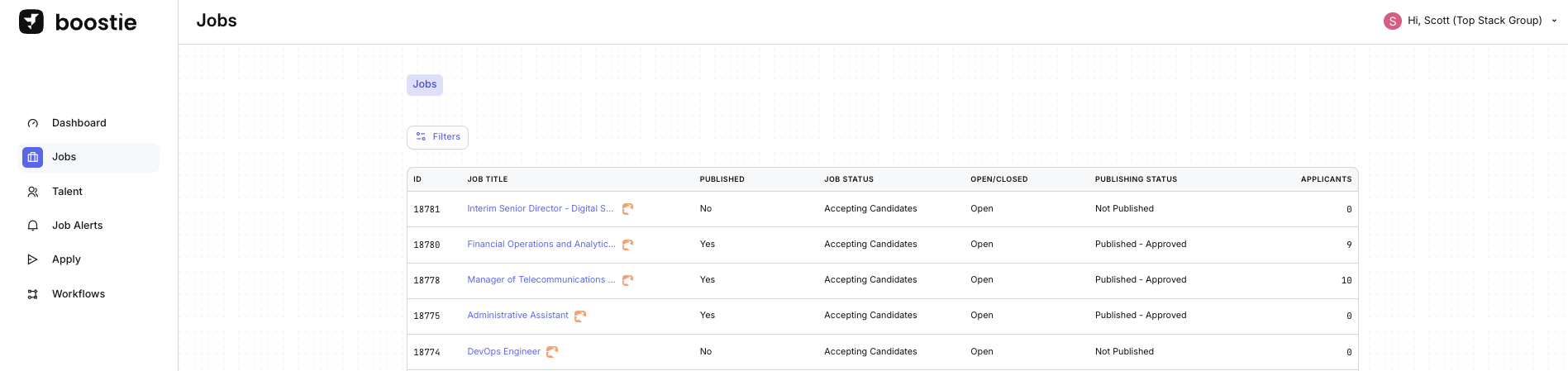
This opens the main Jobs view. Boostie automatically ingests all jobs from your ATS and displays key details, including:
- ATS Job ID
- Job Title
- Published status
- Job Status
- Open or Closed state
- Publishing Status
- Number of applicants
This view gives you an at-a-glance snapshot of every role and its current activity.
For Bullhorn Customers and more information on Job Publishing alignment with Boostie and Bullhorn click here.
Opening a Job
Step 2: View a job in Boostie or your ATS
- Click the ATS logo next to a job title to open the role directly in your ATS
-
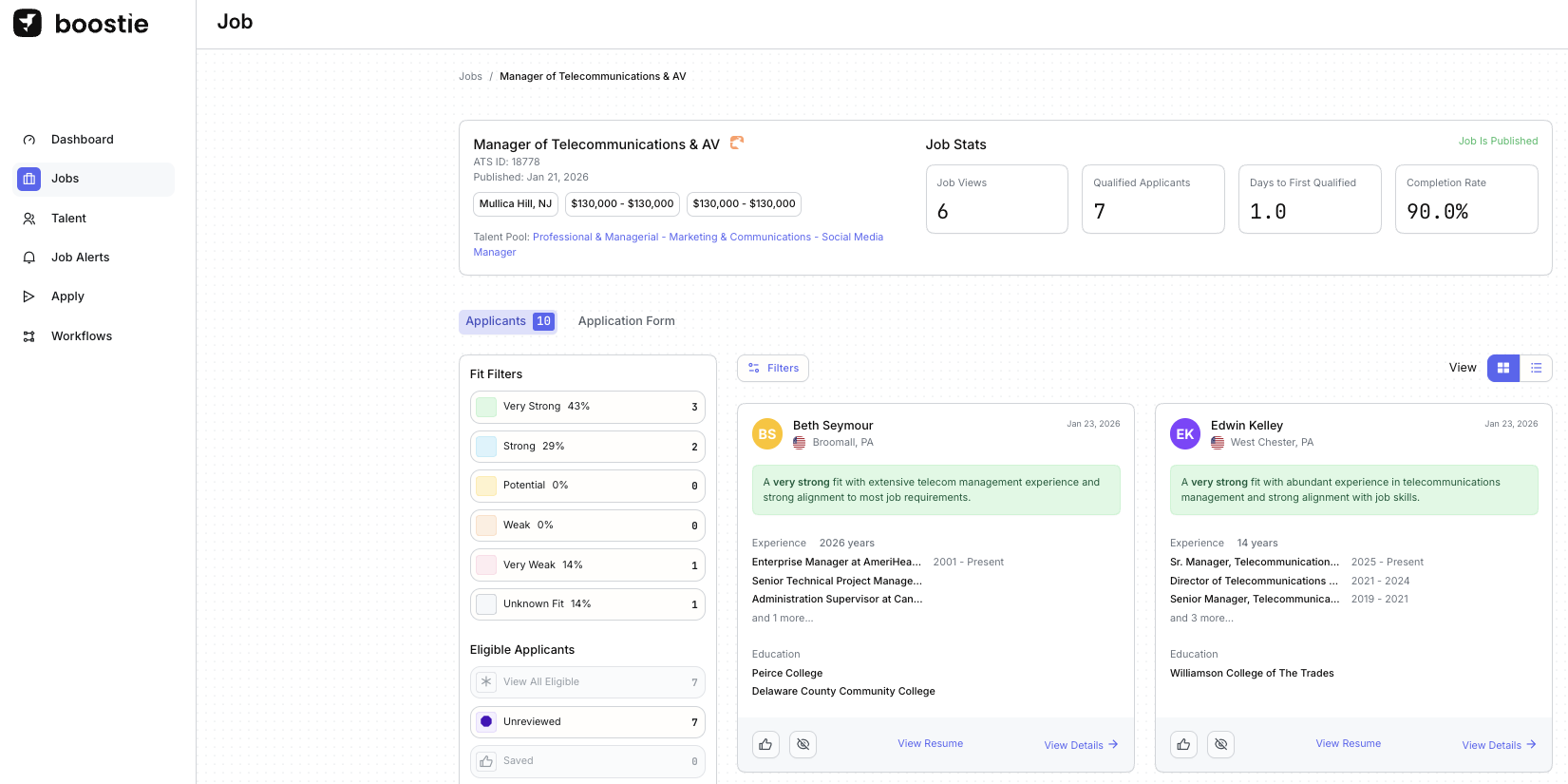
Click the job title itself to open the job inside Boostie
..
This opens the job-specific workspace in Boostie.
Job Data
When a job is created in your ATS, Boostie imports it automatically. This creates a synced job record in Boostie that mirrors your ATS and stays up to date as changes are made.
That job record is your foundation - it’s always in sync with the ATS so Boostie has the most current view of the role.
From job record to job posting
When a job meets your publishing criteria, Boostie takes the synced job record and generates the external job detail page.
This is where Boostie goes to work behind the scenes.
Boostie pulls in the internal job description from your ATS - including recruiter notes, rough job details, and other key context - and uses AI to transform it into a candidate ready job posting.
During this process Boostie will:
- Rewrite and structure the job description so it reads cleanly and professionally for candidates
- Remove client specific information such as company names, locations, or internal notes when needed
- Generate structured sections visible to you on the Job Page Details like skills and apply items using AI
- Create a polished, candidate-friendly job page optimized for search and conversion
Once the job description is refined, Boostie will write the updated version back to your ATS as the Published Description, depending on how your fields are mapped. This ensures the public facing version of the job stays aligned across both systems.
The result: your recruiters can start with raw internal job details, and Boostie turns them into a clean, publish ready job posting automatically.
Internal job data in.
Candidate ready job pages out.
Best practice for managing updates
For the best experience, manage job updates directly in Boostie once the job is being prepared for publishing.
- Updates made in the ATS will still sync into Boostie, but there may be a short syncing window before those changes appear.
- After Boostie performs the first write back of the published description to the ATS, additional edits made to the job summary in Boostie will not continue writing back to the ATS.
In other words:
ATS = source of the job record
Boostie = where the job is optimized for candidates
Start with the internal job details in your ATS.
Then let Boostie shape it into a clean, publish-ready job experience.
How syncing works
-
ATS-driven updates:
Changes made to the job in the ATS (like job description, skills, or benefits) continue to sync into Boostie automatically.
-
Boostie-controlled edits:
If a Recruiter or Job Owner manually edits job fields in Boostie, those fields become Boostie managed. Future field-level updates made in the ATS won’t overwrite those changes.
Why this matters
Your ATS stays the system of record.
Boostie becomes the system of presentation.
You get clean, reliable data feeding in - and the freedom to shape how jobs show up to candidates.
Structured in the ATS. Optimized in Boostie.
Job-Specific View
Step 3: Review job performance and applicants
On the job-specific page, Boostie displays:
- Job Stats tied to Boostie activity
- Fit Filters showing applicant distribution by fit signal
- Applicants who applied to this role
This view connects job performance and candidate quality in one place.
Filtering Applicants
Step 4: Filter your applicant list
Click Filters to narrow applicants by:
- Submission Status
- Channel
- Source
- Radius / Location
- Name
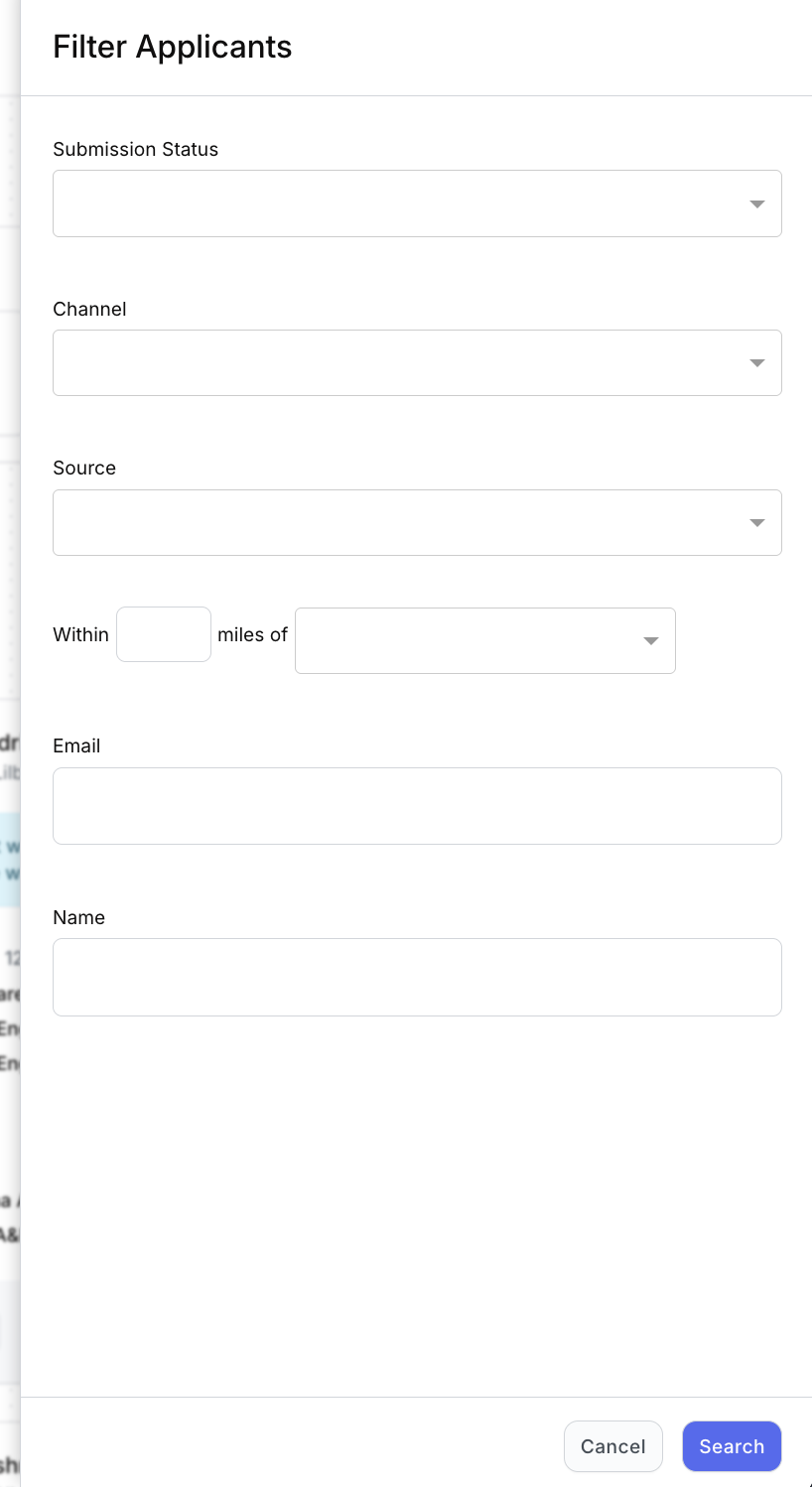
Filters help you quickly zero in on the candidates you care about most.
Viewing Applicants
Step 5: Switch applicant views
Use the View buttons to toggle between:
- Card view
- List view
This lets you review applicants in the format that works best for you.
Reviewing Individual Applicants
Step 6: Open the Application Detail
From either the List view (click View) or Card view (click View Details), the Application Detail slideout opens.
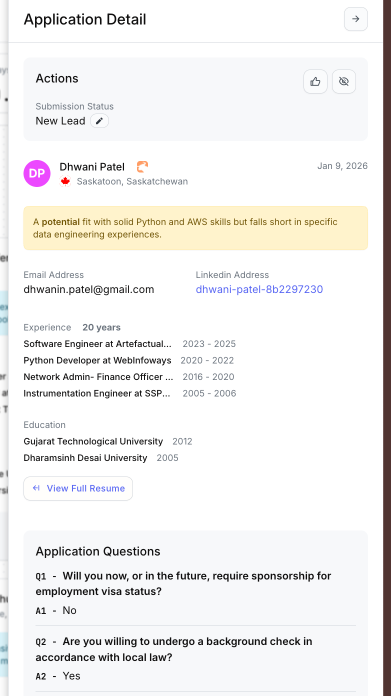
This slideout gives you a complete view of the candidate without leaving the job workflow.
Step 7: Take action and review details
In the Actions section, you can update the candidate’s Submission Status, which syncs directly with your ATS, keeping candidate movement and dispositions aligned across systems.
You can:
- Move candidates forward or reject them based on your workflow
- Click Thumbs-Up to mark strong fits
- Click Hide to remove candidates from your active list
- Click View Resume to open the resume drawer alongside the Application Detail
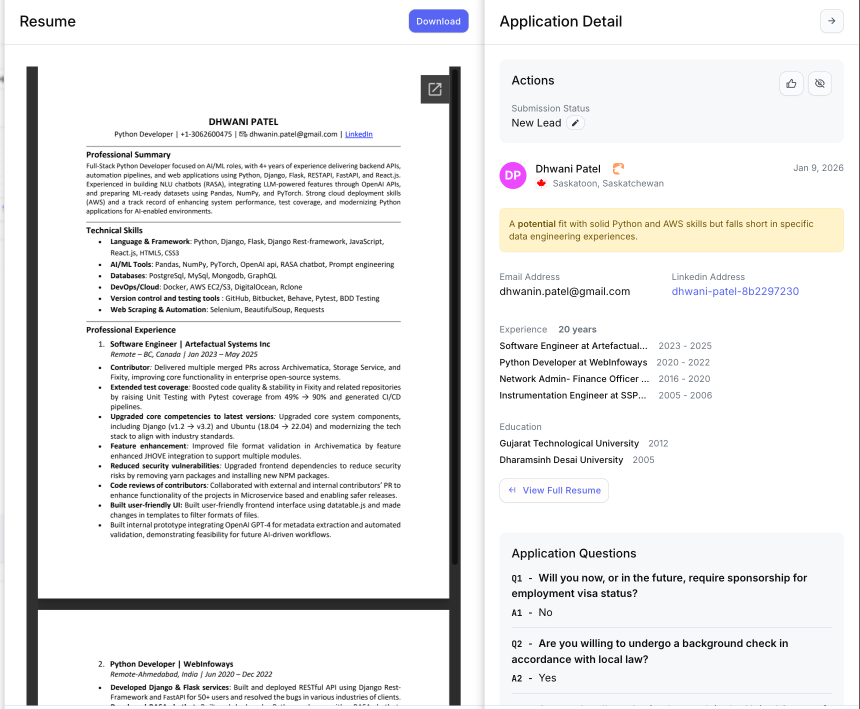
This view allows you to review Application Questions and the resume side-by-side for faster decision-making.
Step 8: Use AI Evaluator Notes
Boostie automatically generates AI Evaluator Notes to summarize candidate fit, strengths, and gaps.
Use these notes to:
- Quickly assess candidate relevance
- Create clean, concise client submission summaries
- Standardize how candidates are presented to hiring managers
Managing the Application Form
Step 9: Customize how candidates apply
From the Application Form tab, you can:
- Edit what information is collected
- Add, remove, or update application questions
- Copy Boostie Direct Apply Links for job boards, social media, or external sites
- View job activity between Boostie and your ATS
-
Adjust AI Fine Tuning to improve fit scoring
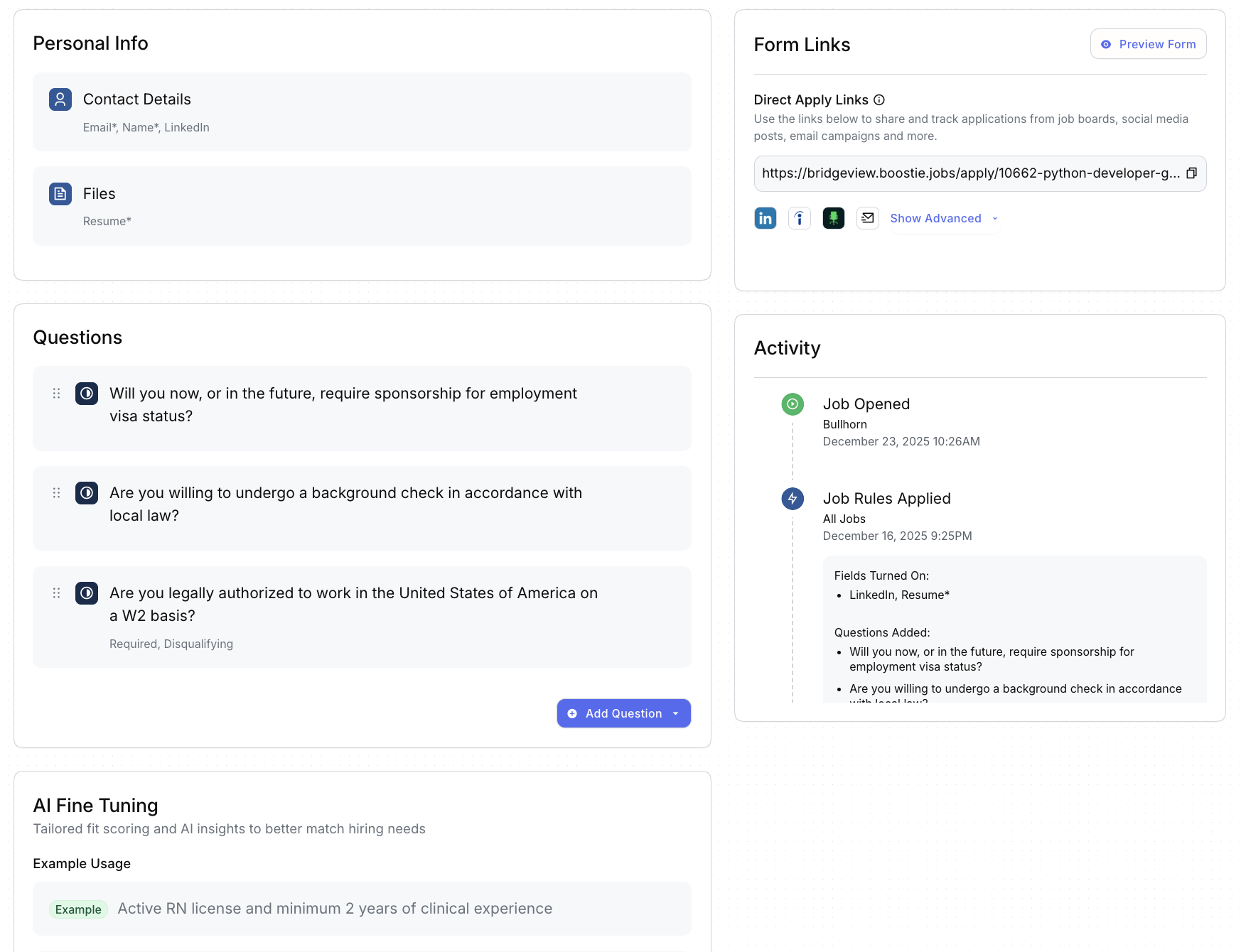
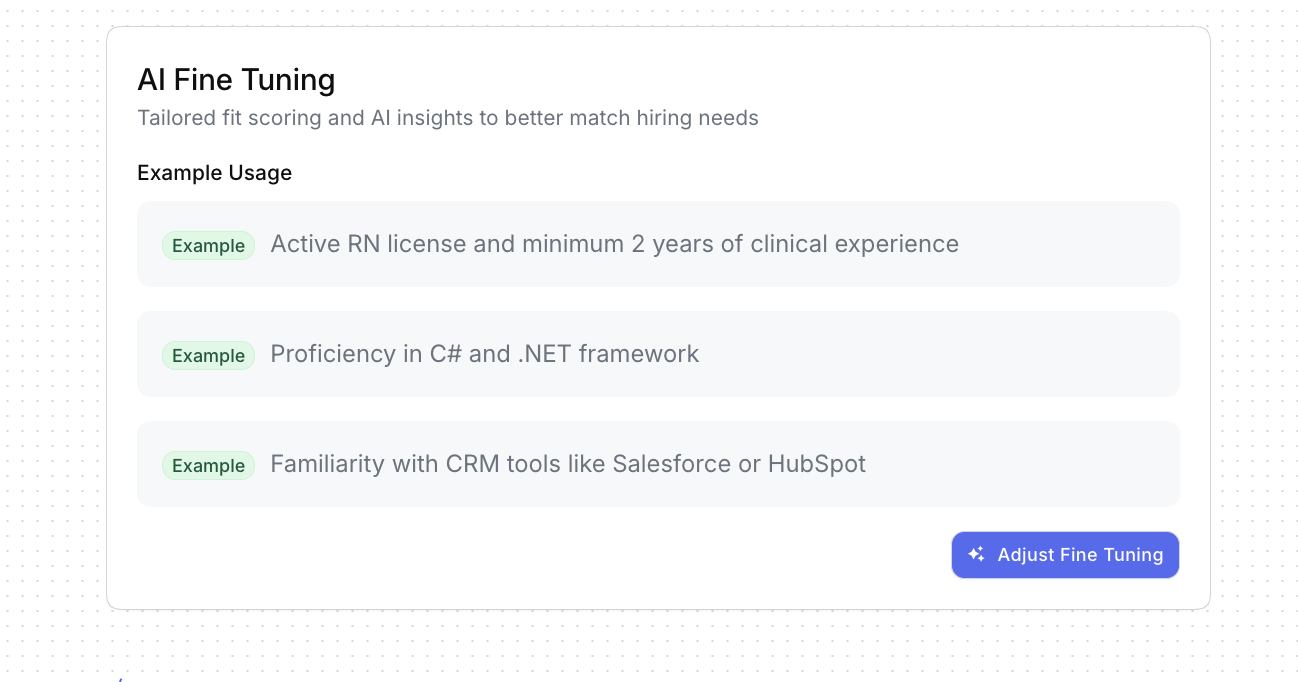
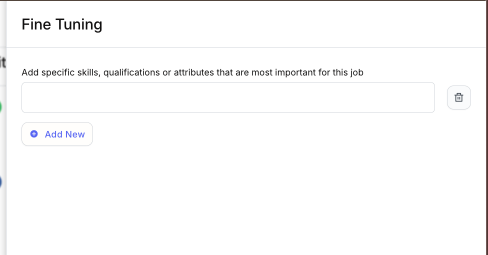
AI Fine Tuning lets you add skills, qualifications, or attributes that matter most for this role, helping Boostie better match candidates to your hiring needs.
Why It Matters
The Jobs module turns your ATS data into action, bringing clarity, speed, and intelligence to every role you’re hiring for. One view. One workflow. Smarter hiring, powered by Boostie.