
2026-04-02: Boostie Board: Filtered Jobs Link Creator
Filtered Jobs Link Creator
Share a link that sends candidates directly to your job board - pre-filtered and ready to go.
How It Works
- In the Boostie app, click Jobs in the left navigation.
- Click Share Board Link in the top right corner.
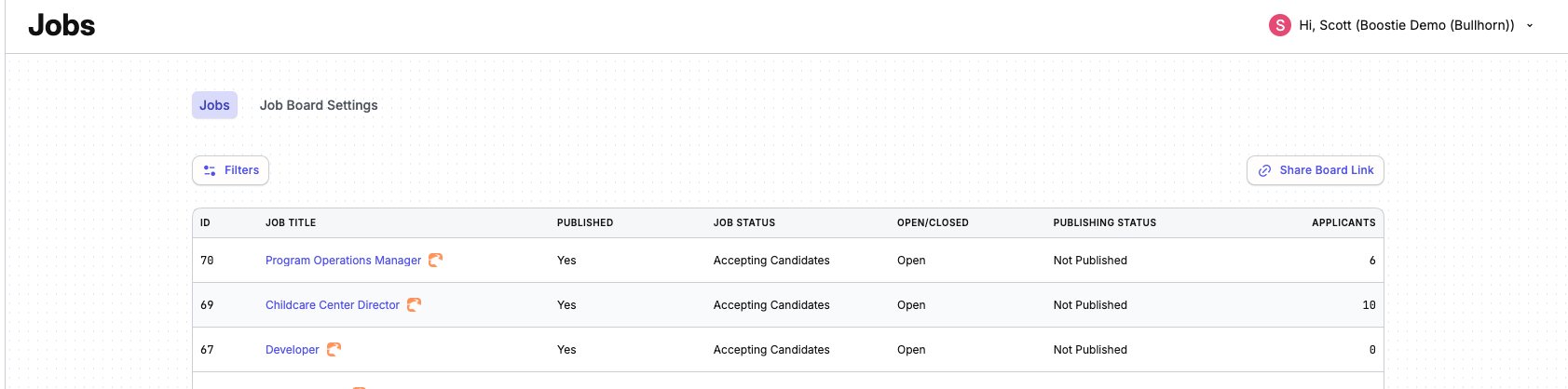
- In the Filter Job Board Link slideout, select your filters - Category, Specialty, Employment Type, and Location.
- Boostie instantly generates a link in the Generated Link field.
- Click Preview to confirm the filtered view looks exactly the way you want it.
- Click Copy Link to copy it to your clipboard - ready to drop anywhere.
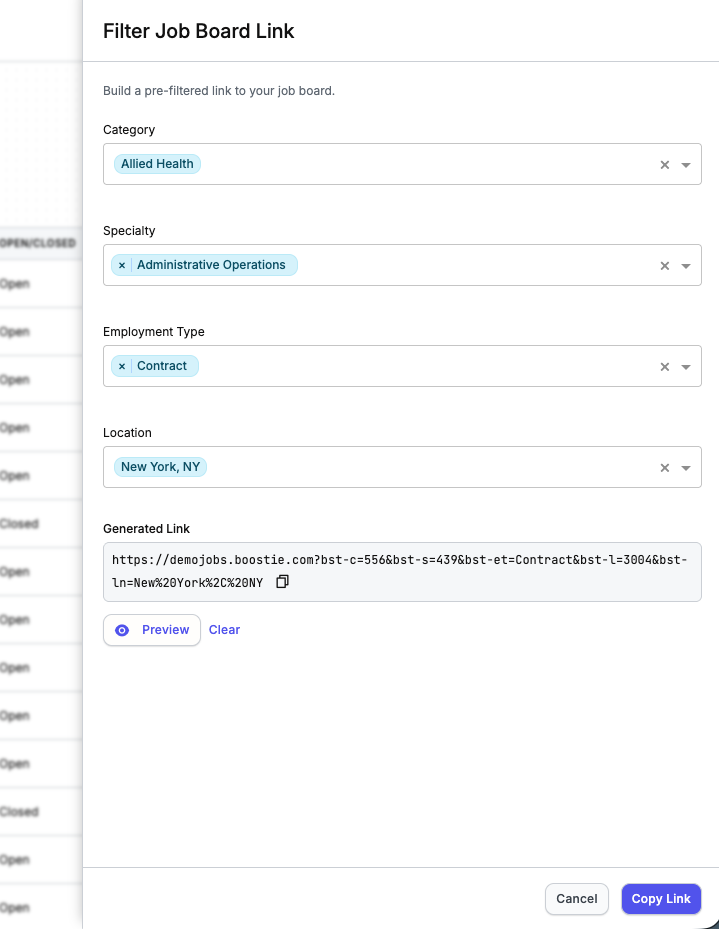
Not happy with your filters? Click Clear to reset and start fresh.
Example
A client creates a link with the Software Developer category selected in St. Louis, MO. Anyone who clicks that link lands on the board showing only those jobs, exactly as configured.
Common Use Case
Perfect for targeted marketing emails. Drop a filtered link into your next campaign - "View accounting jobs" or "View tech jobs" - and send candidates straight to what's relevant to them.