Scott Berkson
Last updated: 24 January 2026
The Payment & Billing section is where you can manage your company’s billing email and payment method used for your Boostie subscription.
To access it:
Click your name in the top-right corner of Boostie.
Select Settings from the dropdown.
In the top navigation bar, choose Payment & Billing.
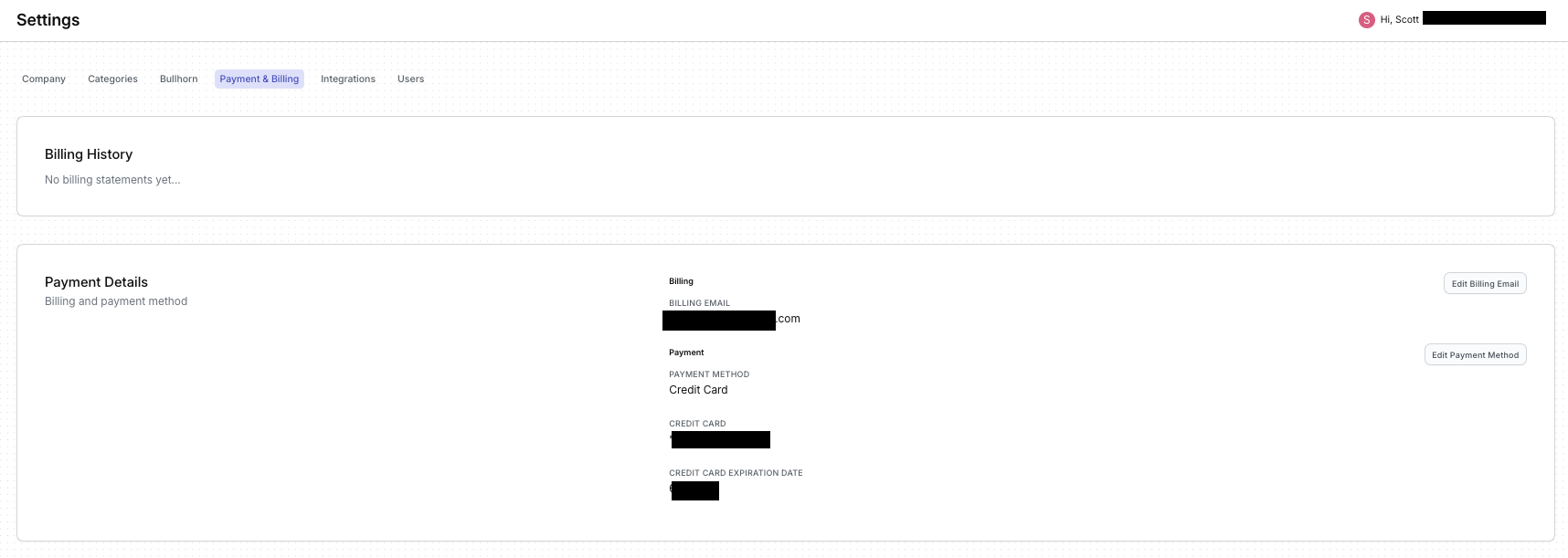
On the right side of the page, under Payment Details, you’ll see two options:
Edit Billing Email
Edit Payment Method
Click either button to update that specific item.
A slide-out panel will appear on the right where you can enter new details.
When you're done, click Save to apply the update.