Scott Berkson
Last updated: 24 January 2026
Boostie integrates with your team’s internal messaging tools so you can receive real-time updates on your strongest candidates the moment they apply.
To access your integration options:
Click your name in the top-right corner of Boostie.
Select Settings from the dropdown.
Use the top navigation bar to open Integrations.
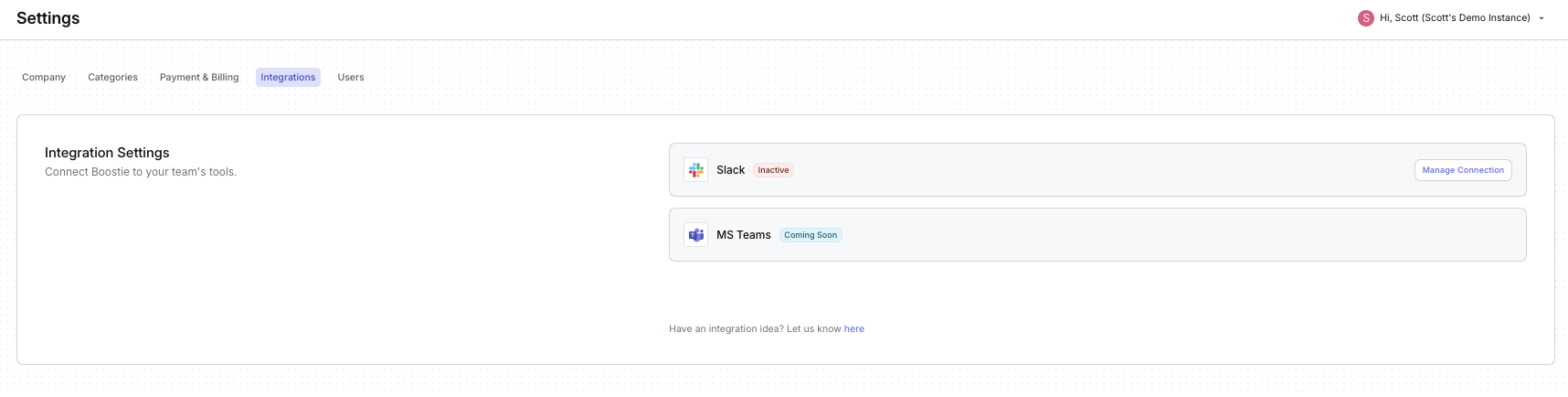
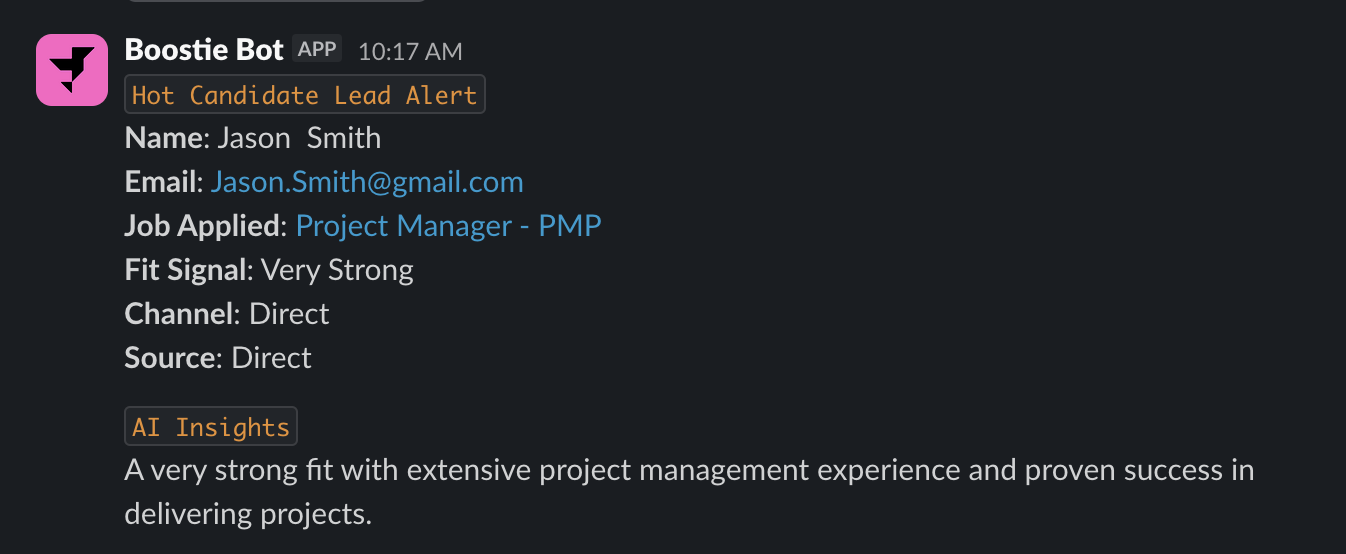
Boostie provides a native Slack integration that alerts your team the moment a high-fit candidate applies. Notifications are delivered directly into the Slack channel you choose and include:
Candidate name and email
The job they applied to
Their Fit Signal
Channel and source
A link to the candidate record in your ATS
Boostie AI Insights explaining why the candidate is a strong fit
This ensures your team never misses a top candidate - even when they’re not inside Boostie.
Navigate to Settings → Integrations.
Next to Slack, click Manage Connection.
A slide-out will appear on the right. Click Connect Boostie to Slack.
A Slack authorization page will open in a new browser window.
Follow Slack’s prompts to approve the connection.
Once Slack redirects you back to the Boostie slide-out, click Save to complete the setup.
You’re all set — Boostie will now send real-time alerts directly into your selected Slack channels.
Microsoft Teams support is currently in development and will bring the same real-time alerts, insights, and job-apply intelligence directly into your Teams channels.
More integrations with other messaging platforms are also planned - stay tuned for updates as we expand our ecosystem.