Scott Berkson
Last updated: 24 January 2026
The All People view gives you a complete, unified look at everyone in your Boostie database - applicants, subscribers, and captured talent - all in one place. It’s your master list for visibility, filtering, and fast action.
From the Talent module in the left-hand navigation, click All People in the top page navigation.
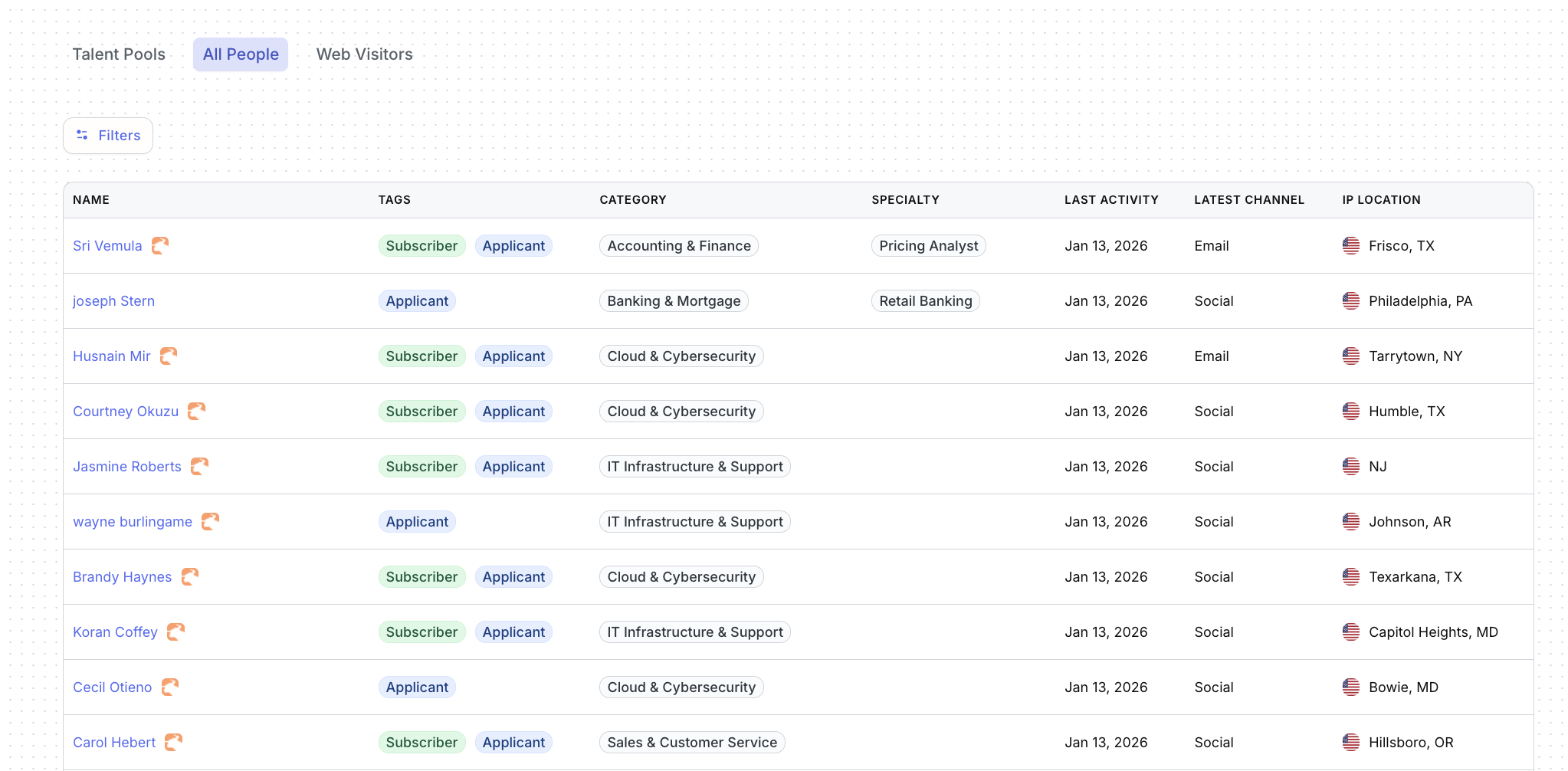
This view displays every person in Boostie and breaks down key details at a glance:
Name – Clickable to open the candidate record
Tags – Indicates whether the person is an Applicant, Subscriber, or both
Category – The primary talent category assigned
Specialty – The aligned specialty within that category
Last Activity – Most recent Boostie interaction
Latest Channel – Where the last interaction occurred (Email, Social, etc.)
IP Location – Last known location based on activity
This table makes it easy to scan your entire talent universe without jumping between modules.
To narrow your results, click Filters.
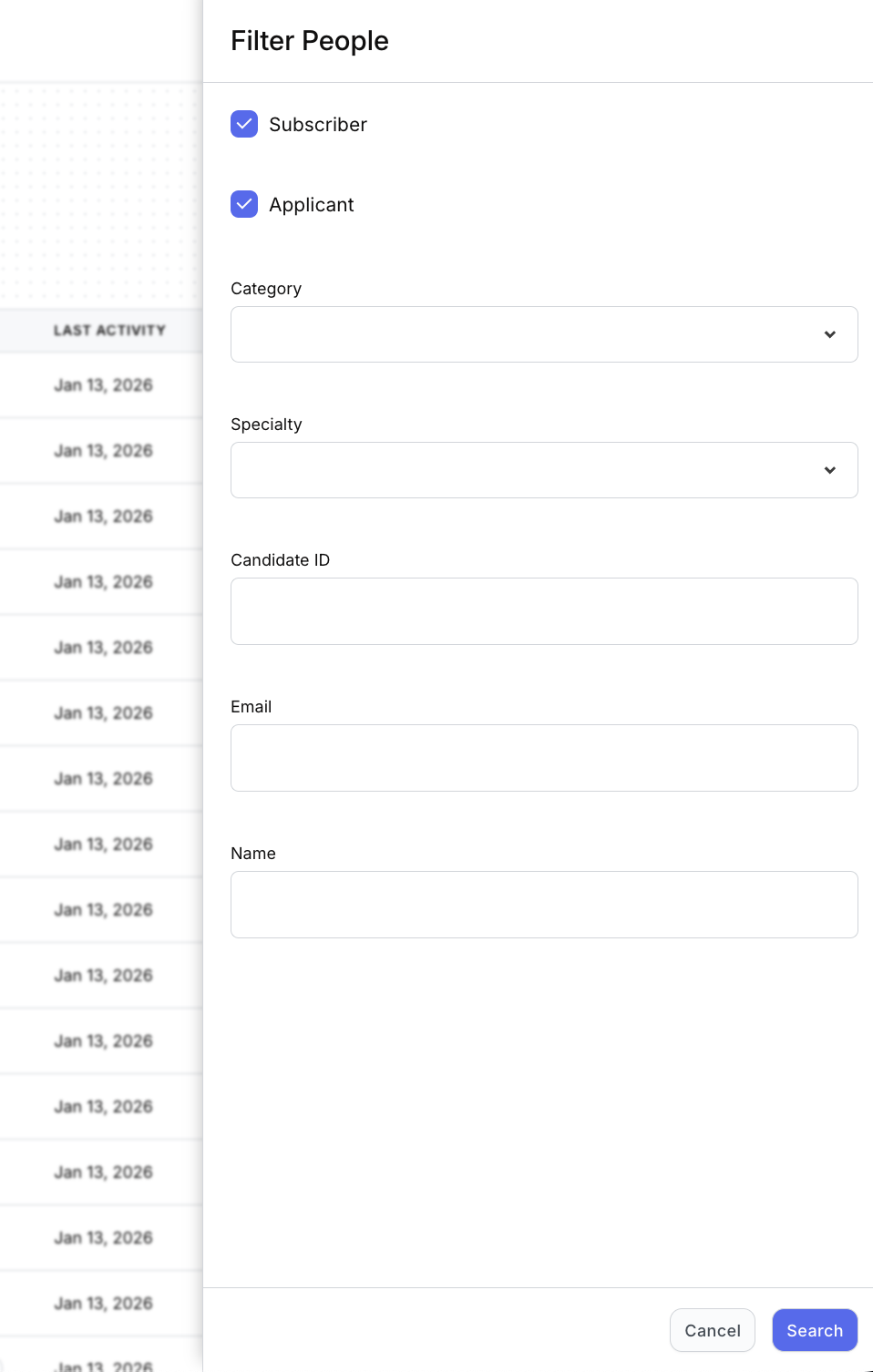
The filter slideout lets you get more granular by:
Subscriber and/or Applicant status
Category
Specialty
Candidate ID
Name
This is the same filtering experience you’ll recognize from Talent Pools, giving you consistency and speed no matter how you’re working.
Click any individual in the All People list to open their candidate record.
From here, you’ll see the full Boostie experience - complete with profile details and a full activity timeline showing every interaction Boostie has tracked. It’s the same candidate view used across Apply, Job Alerts, and Talent, so nothing feels disconnected.
All People is your single source of truth inside Boostie. Whether you’re searching broadly or narrowing fast, it keeps your entire database visible, organized, and ready for action - no matter how or where candidates entered your funnel.