Scott Berkson
Last updated: 26 January 2026
The Talent module is where Boostie transforms your existing database into a living, breathing talent engine. It organizes your people into smart Talent Pools, surfaces real engagement signals, and lets you drill all the way down to individual candidate activity - so you know exactly who’s ready to move.
From the left-hand navigation, click Talent. You’ll land on the Talent Pools view, with navigation across the top for Talent Pools, All People, and Web Visitors.
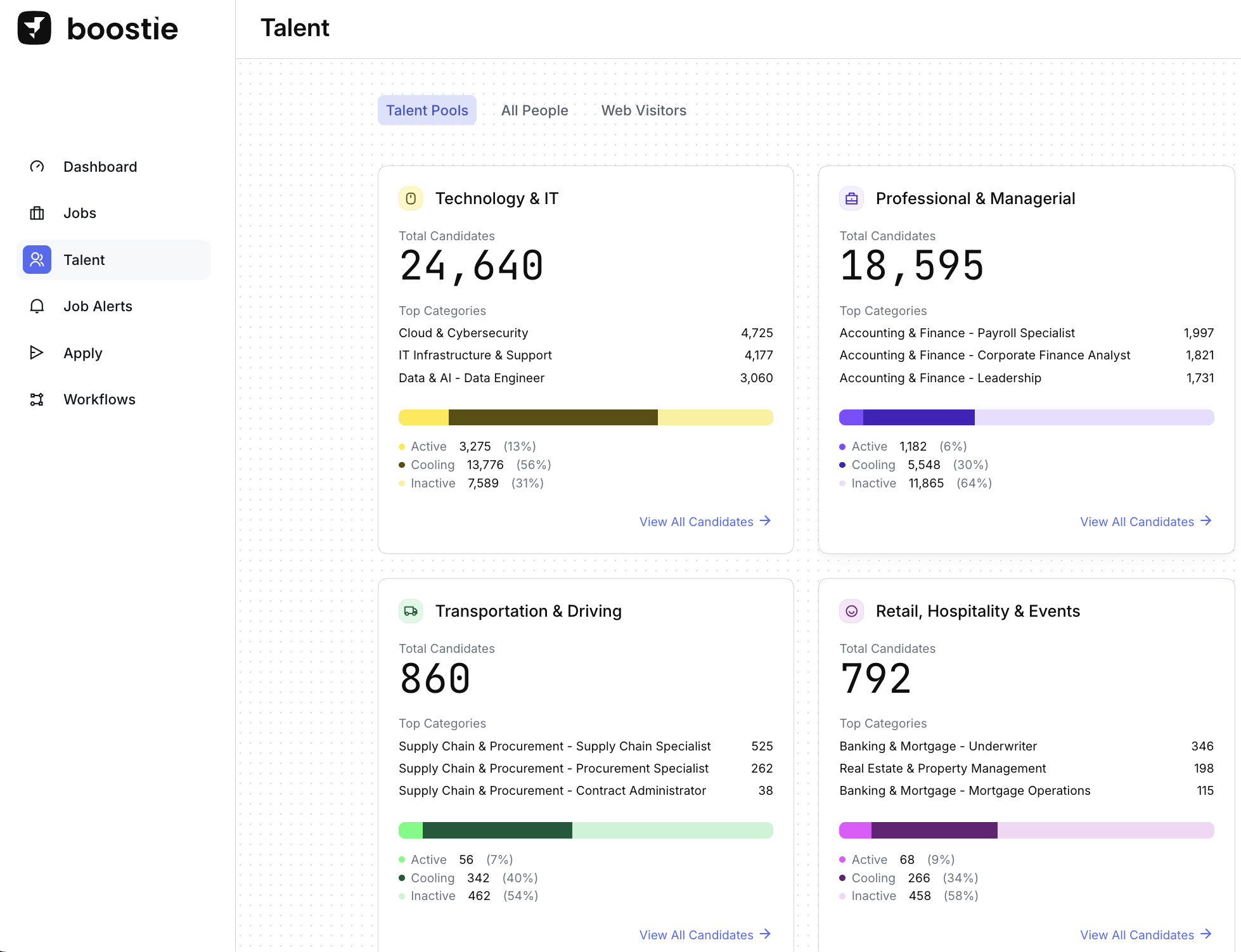
Boostie organizes candidates using your existing Categories and Specialties from your ATS.
If your candidates aren’t fully tagged in your ATS, Boostie steps in. Using AI and parsing algorithms, Boostie automatically aligns each candidate to the most relevant category and specialty - so your Talent Pools stay structured, searchable, and ready to use without manual cleanup.
Each Talent Pool card gives you instant insight into your database:
Total candidates in the category
Top specialties with the highest concentration of talent
Activity breakdown across the entire pool:
Active – Candidates who’ve visited your website within the last 30 days. They’re engaged, paying attention, and most likely to respond right now.
Cooling – Candidates whose last website visit was more than 30 days ago. Interest has slowed, but they remain aware of your brand and are prime for re-engagement. Once a candidate moves to Cooling, they remain there until new activity occurs.
Inactive – Candidates imported from your ATS who haven’t visited your website yet. This is your biggest opportunity, Boostie is designed to turn inactive records into active, engaged talent.
This view helps you quickly understand where your warm talent lives - and where re-engagement opportunities exist.
Click into any Category / Talent Pool card to dive deeper.
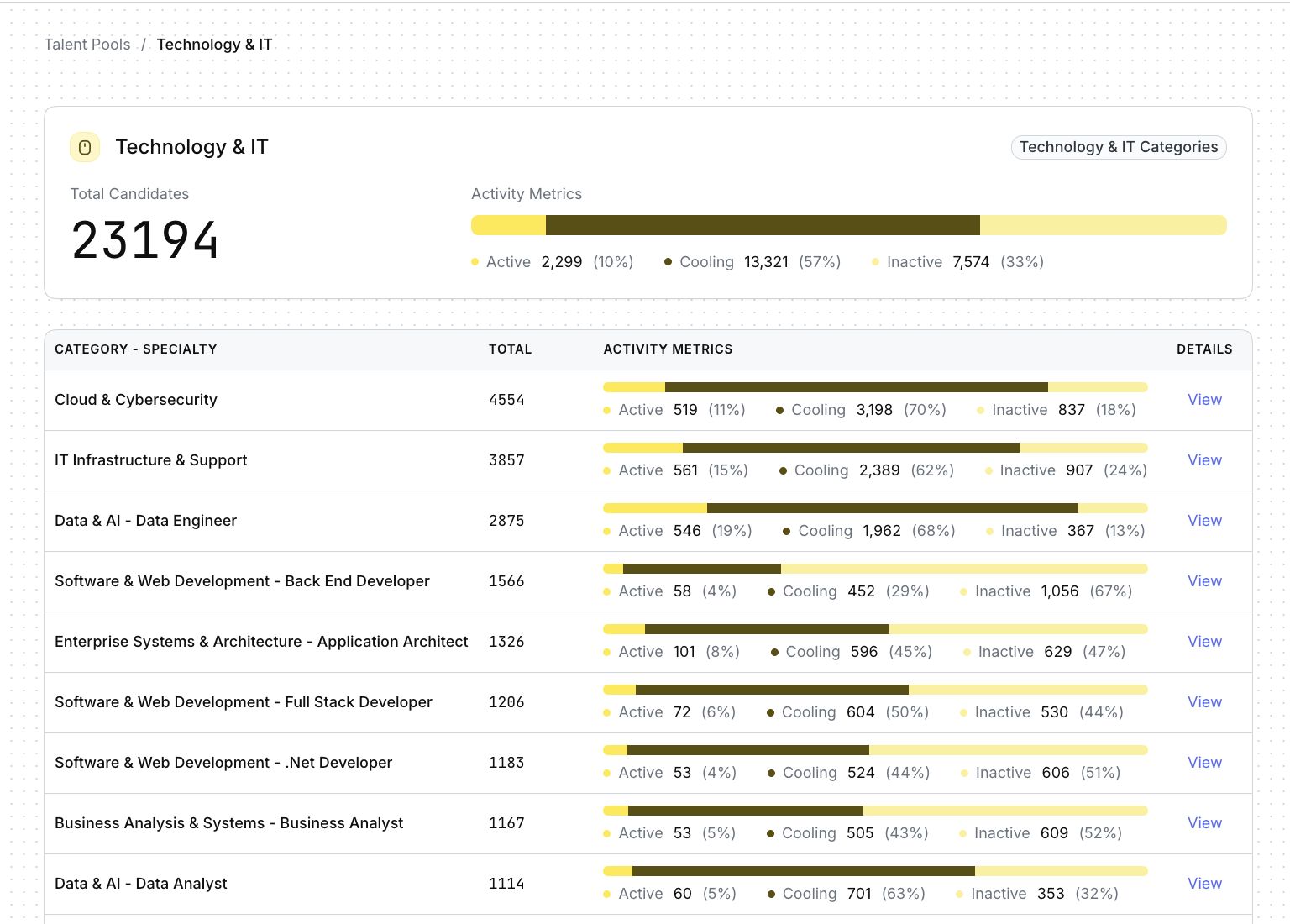
Inside a category, you’ll see:
Every Specialty within that Talent Pool
Total candidates per specialty
Activity metrics (Active, Cooling, Inactive) for each specialty
This lets you quickly spot which skill sets are hot, cooling, or dormant - without opening a single candidate record.
Click View under Details for any specialty to open the candidate list in a slideout.
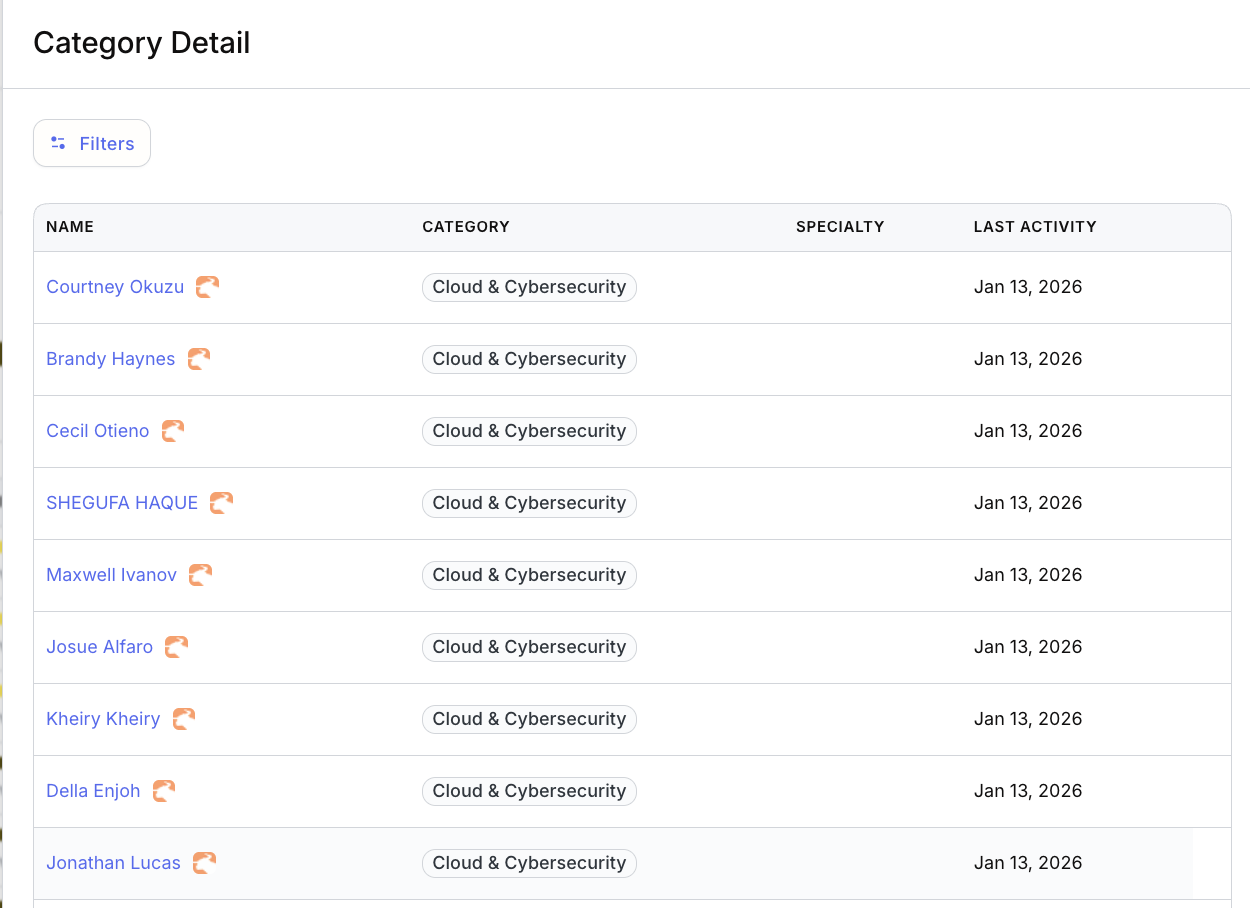
From here, click Filters to refine your list even further.
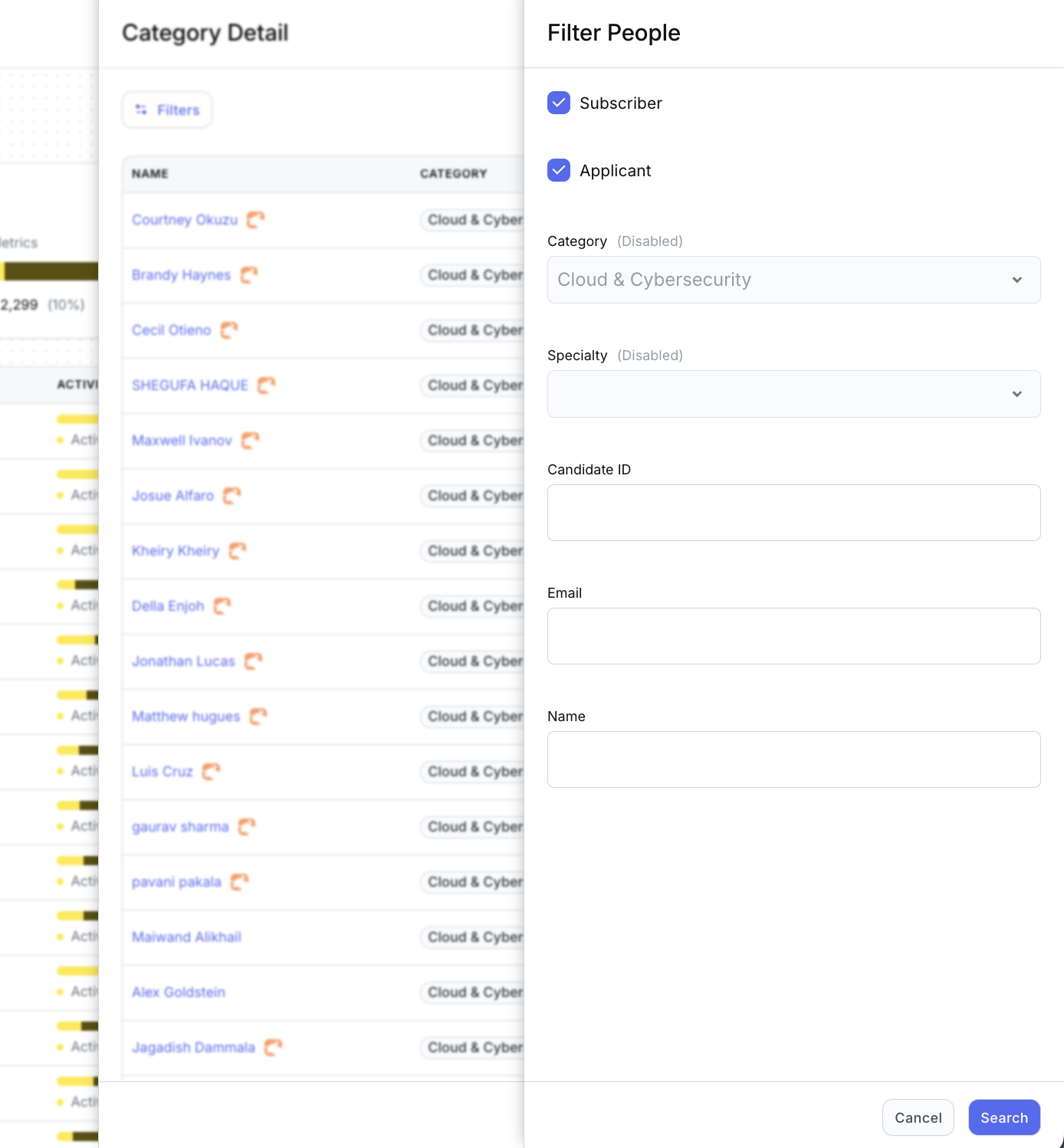
You can filter by:
Subscriber and/or Applicant
Candidate ID
Name
(Category and Specialty are pre-set based on the Talent Pool you selected.)
This makes it easy to narrow in on exactly the right audience - fast.
Click any candidate to open their full Boostie profile.
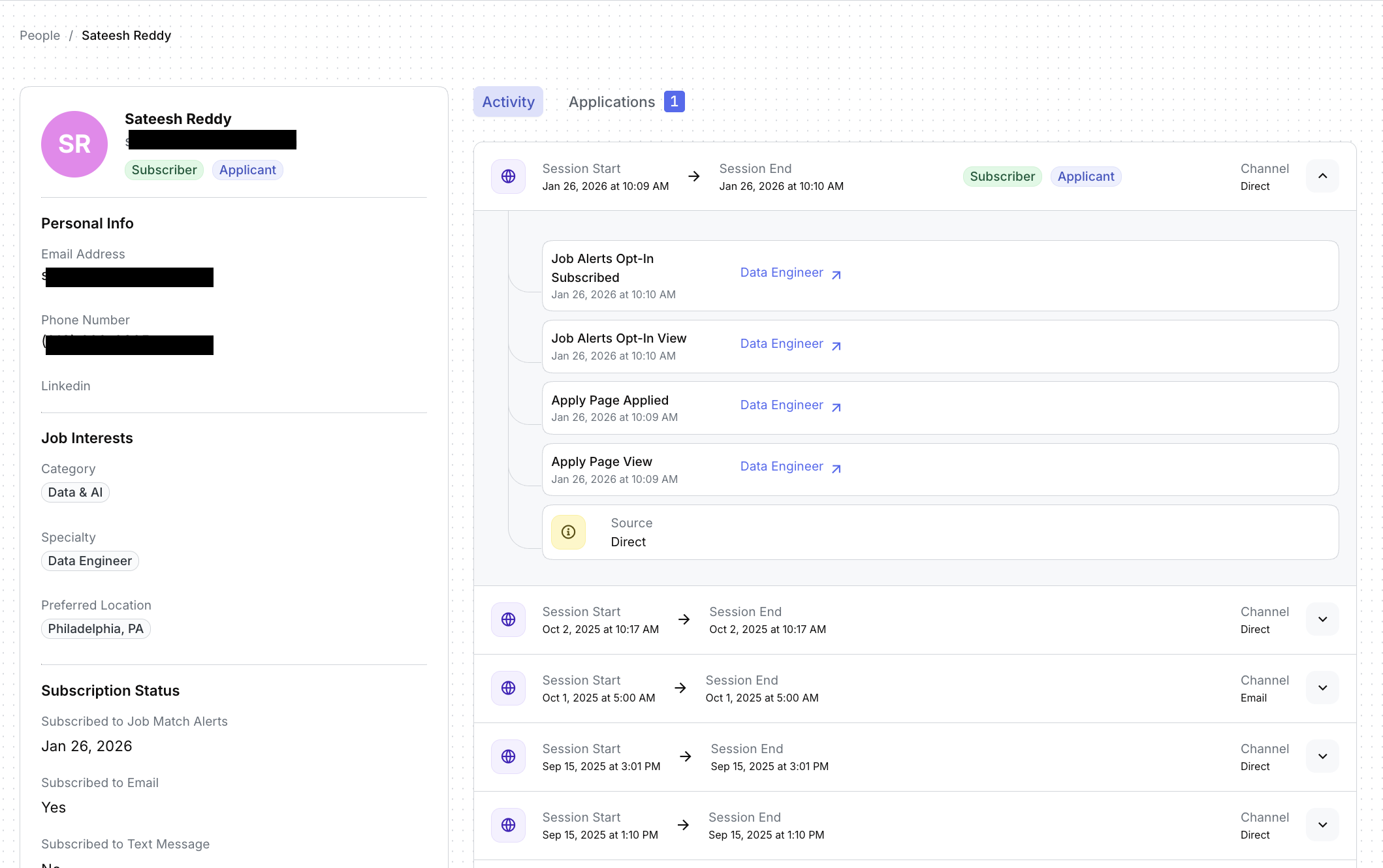
Here you’ll see:
Personal details and job interests
Subscriber and applicant status
A complete activity timeline showing every interaction Boostie has tracked—page views, job views, signup forms, and more
This is the same rich candidate experience you’ll recognize from Apply and Job Alerts, now fully connected inside Talent.
Talent isn’t just a list - it’s your engagement command center.
With Talent, you can:
See who’s ready to engage
Identify cooling candidates before they go dark
Activate the database you’ve already invested in
Boostie does the organizing, tracking, and intelligence - so you can focus on building relationships and moving talent forward.