Scott Berkson
Last updated: 24 January 2026
Boostie stays in lockstep with Bullhorn so the right jobs show up in the right place - every time. Job Published Criteria is how Boostie knows which jobs belong on your job board and which jobs are ready to be shared with candidates.
This is your source of truth.
Within the Jobs List inside the Boostie app, Bullhorn customers will always see two columns dedicated to job publishing:
Published - Whether a job is live on your job board
Publishing Status - Whether that job meets Bullhorn’s publishing rules to be displayed publicly and shared with candidates
These columns work together to allow you to quickly confirm which jobs are eligible to be promoted, matched, and sent out by Boostie without guessing or cross-checking Bullhorn.
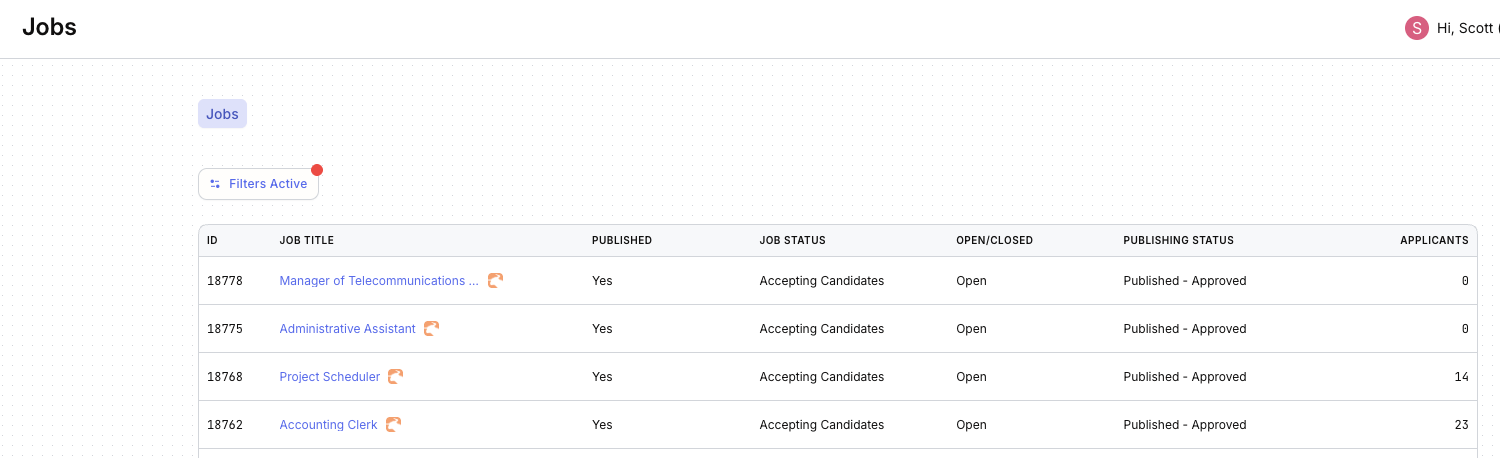
Is the job live on your job board?
When a job shows Published = Yes, it means that job is posted on your business’ job board and has a live URL.
This is critical because when Boostie sends job matches to candidates, it must include a working job link. If a job isn’t published, Boostie has nowhere to send candidates.
Bullhorn logic, surfaced in Boostie.
Publishing Status is a Bullhorn-specific field. It reflects how the job is configured inside Bullhorn and tells Boostie whether that job should appear on your job board.
Boostie reads this status directly from Bullhorn to determine which jobs match your publishing rules - and which ones don’t.
Your setup is your setup.
Bullhorn customers don’t all publish jobs the same way:
Some publish all open jobs
Others require jobs to be Open + Published - Approved
Some rely on additional submission or approval workflows
Boostie does not assume. Instead, it aligns directly to your Bullhorn publishing configuration so only the right jobs appear on your job board.
Tell Boostie how Bullhorn works for you.
To make sure Boostie aligns with your Bullhorn setup, click your user name in the top-right corner of the Boostie app and select Settings.
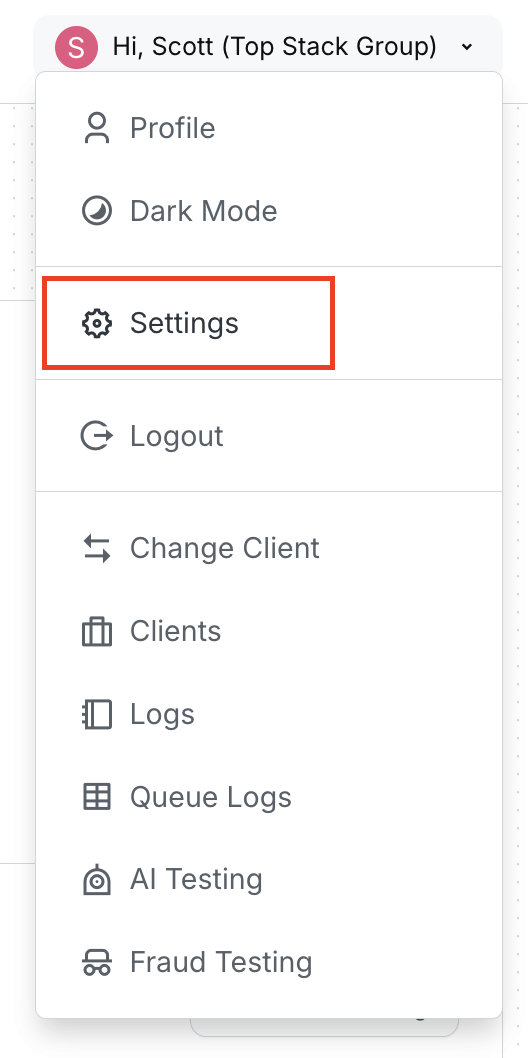
Review your current publishing criteria.
On the Settings page:
Select the Bullhorn tab
Scroll to the Bullhorn Settings section
Locate Edit Bullhorn Settings on the right side
Here, you’ll also see your current Job Published Criteria displayed.
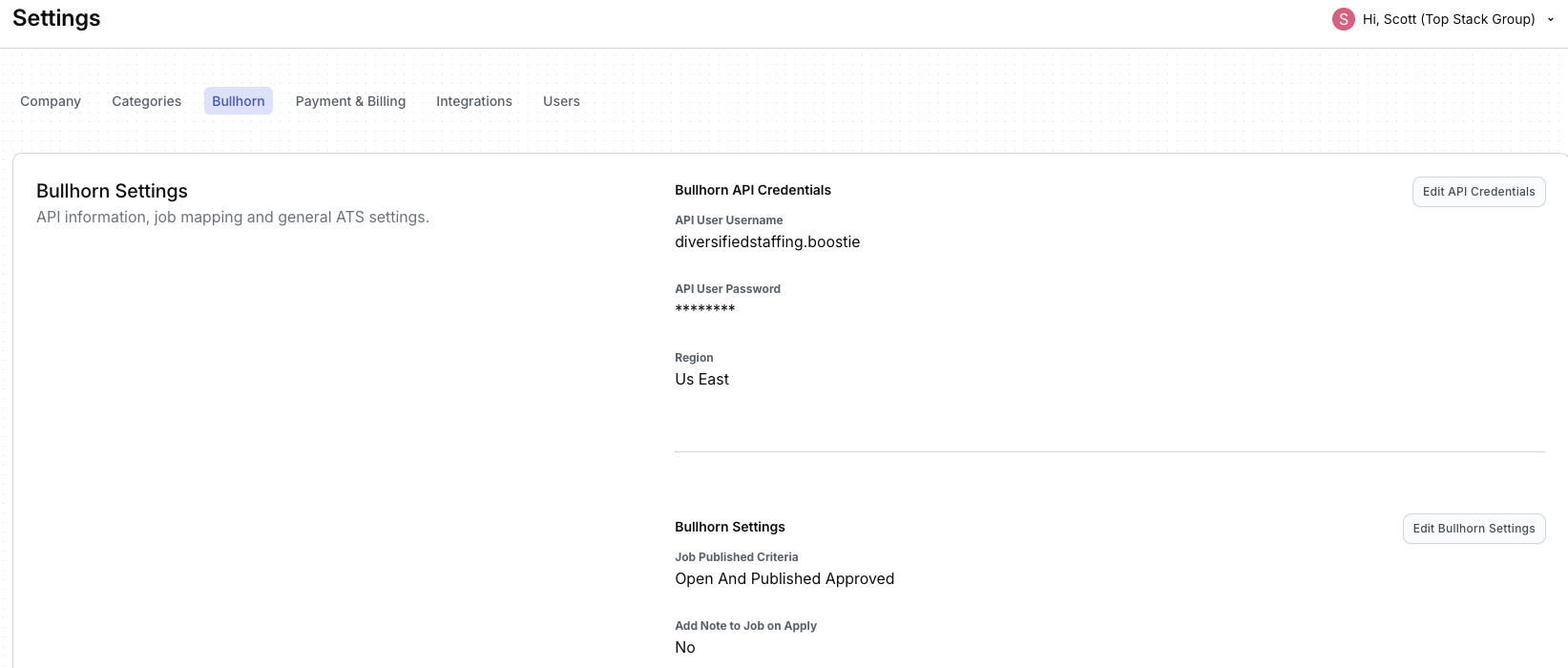
Lock Boostie to Bullhorn—exactly.
Click Edit Bullhorn Settings.
In the slide-out, the first setting is Job Published Criteria.
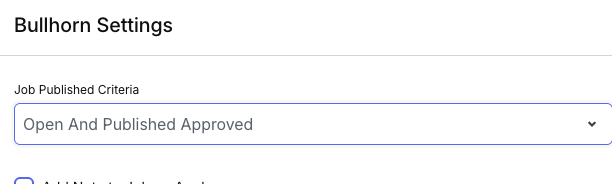
Select the dropdown option that matches how jobs are published from Bullhorn (for example: Open And Published Approved).
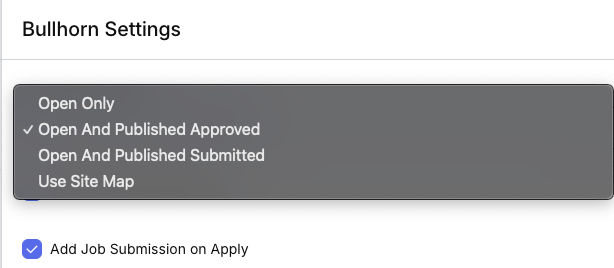
Click Save at the bottom right of the slide out, then confirm the updated value appears on the Bullhorn Settings page.
When Job Published Criteria is aligned:
Your job board stays accurate
Candidates only see jobs they can actually apply to
Boostie can confidently run campaigns, match, and convert talent
Set it once. Boostie takes it from there.