Scott Berkson
Last updated: 24 January 2026
Boostie Apply modernizes the job application experience for staffing and talent acquisition teams. Traditional apply flows are long, repetitive, and cause significant applicant drop-off. Apply fixes that.
With Boostie Apply:
Applicants enjoy a fast, mobile-first, low-friction application that respects their time.
Recruiters get instant clarity, as Boostie automatically evaluates every applicant using real-time Fit Signals.
Teams move faster because the highest-quality applicants rise to the top—no manual sorting required.
Apply becomes the engine of your digital talent funnel: more completions, higher quality, less noise.
To begin, click Apply from the left-side navigation inside Boostie.
You’ll land on Recent Applicants page. This is where your team gets an at-a-glance understanding of who applied, how well they match the role, and where they came from. It’s built to help recruiters prioritize quickly, reduce noise, and move the strongest applicants forward faster.
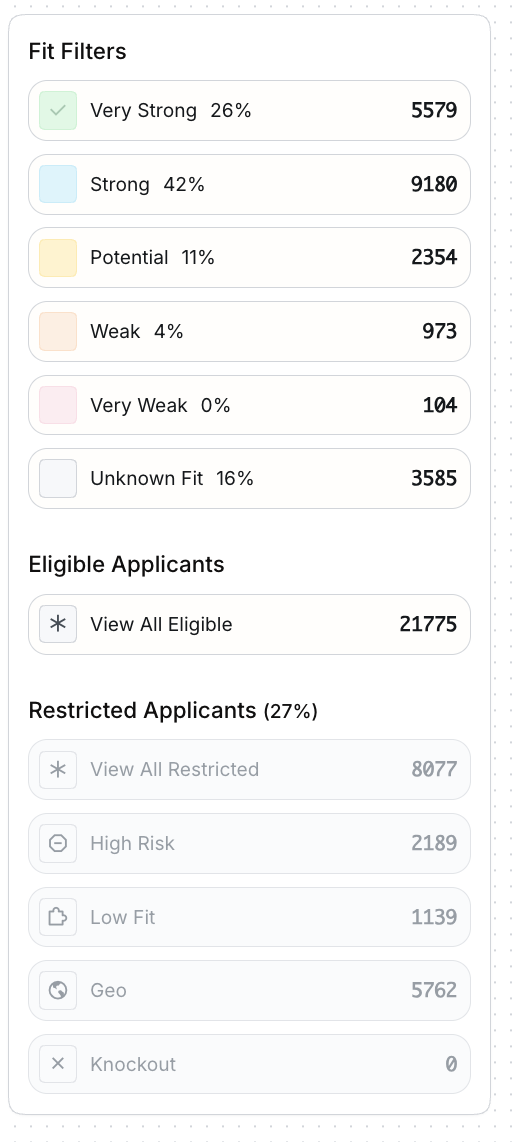
This panel summarizes your entire applicant pool by Fit Signal strength. It gives you instant clarity into the overall quality of inbound talent.
Each category displays a count + percentage of total applicants:
Very Strong – Highest match quality; strong alignment with skills + knockout criteria
Strong – Solid match; strong likelihood of being qualified
Potential – Partial match; requires review
Weak – Low alignment; likely not a fit
Very Weak – Very low alignment
Unknown Fit – Applicant did not provide enough data to calculate a score
Click any signal to filter the applicant list on the right.
Below Fit Filters, you’ll also see:
Eligible Applicants - Applicants who pass all Apply Rules.
Restricted Applicants - Applicants who match one or more rule conditions, such as:
High Risk
Low Fit
Geo-restricted
Knockout question failure
These buckets help your team triage at scale without manual sorting.
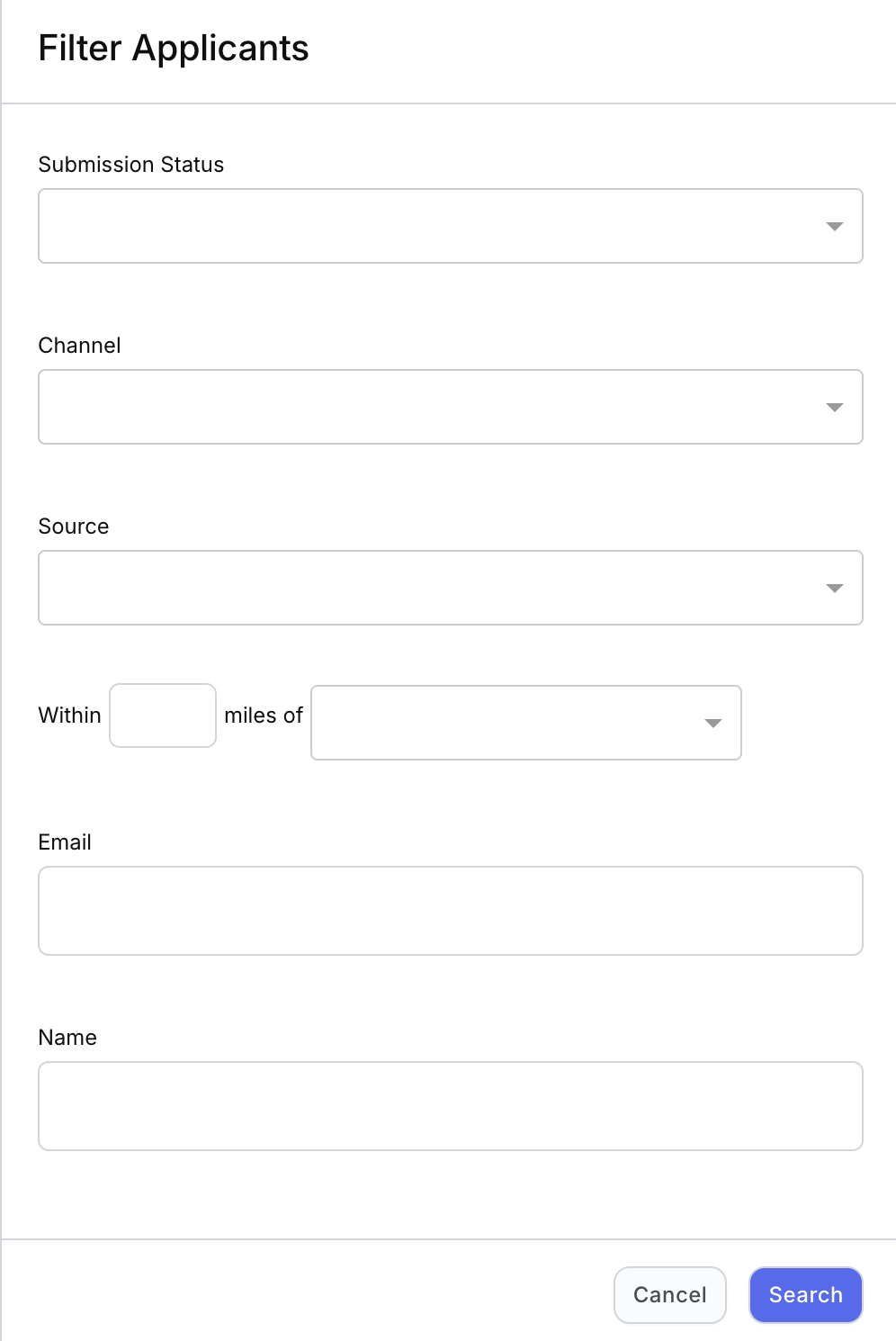
Click Filters above the Applicant column and a slide out appears. Filtering will narrow your applicant list by:
ATS submission status
Channel
Source
Radius - X miles of a city, state (not zip code based)
Name
This allows you to isolate exactly the applicants you want to analyze.
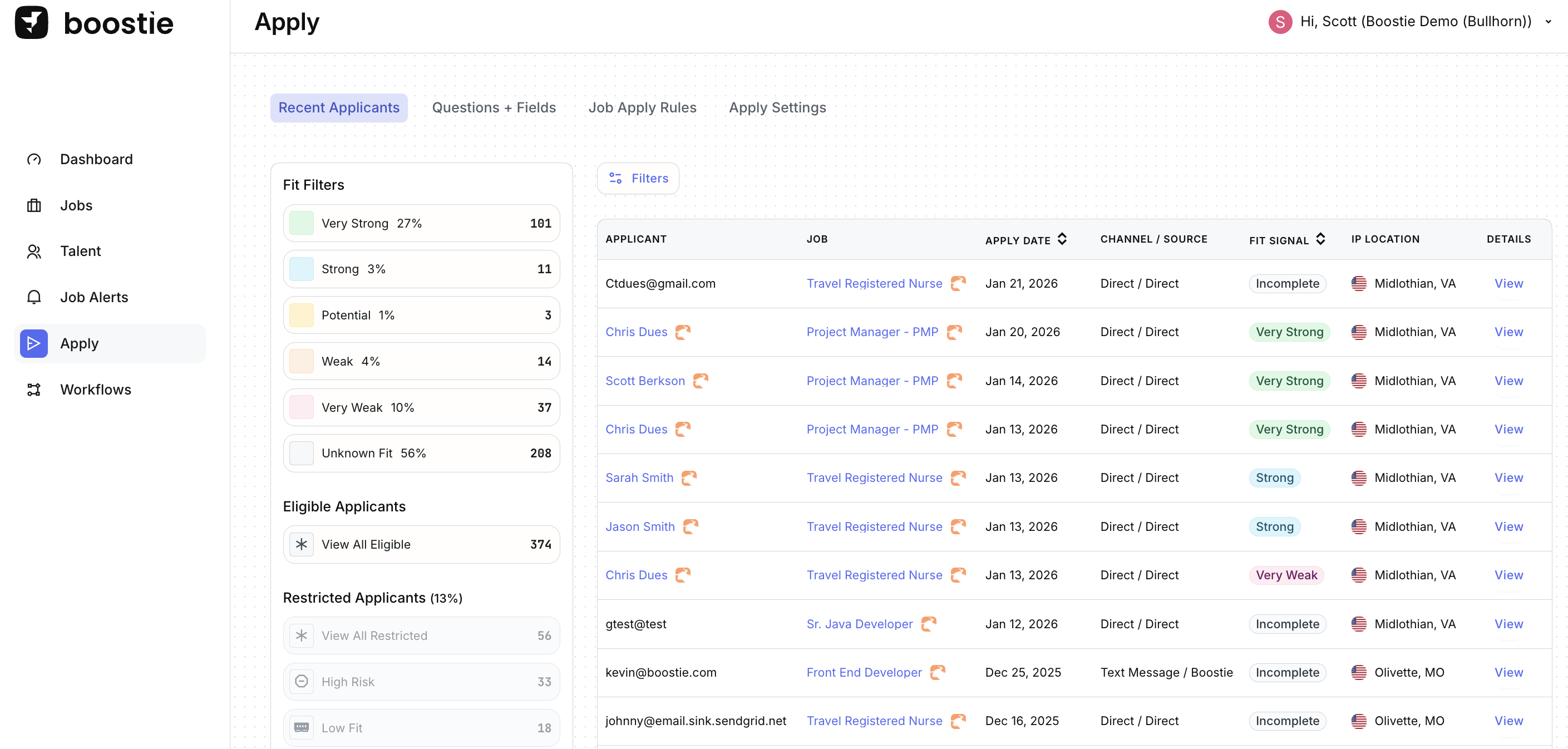
This is the core of the page, a sortable list of every applicant who has come through Boostie Apply.
Applicant
Click the name to open their full Boostie profile (subscription status, personal info, job interests, activity, device info, applications, and more).
Job
The job the applicant applied to. Each job title links directly to the job details page.
Apply Date
When the application was completed.
Channel / Source
Where the applicant originated from (Direct, Email, Social, Job Board, Job Alert popup, etc.). This helps you track which channels drive the strongest talent.
Fit Signal
Color-coded badge showing match strength.
IP Location
General location of the applicant at the time of application (city + state or country).
Useful for geo-restricted roles or multi-market hiring.
Details
Opens the full structured application, including knockout answers and resume data.
Boosts recruiter efficiency: Higher-fit candidates rise to the top automatically.
Improves quality control: Unqualified, spam-like, or misaligned applicants are clearly flagged.
Strengthens reporting: Fit distribution + source insights help teams optimize channel spend.
Reduces manual screening: Fit Signal and Apply Rules do the heavy lifting.
Creates a consistent experience: Every applicant is evaluated with the same logic.