Scott Berkson
Last updated: 24 January 2026
Follow these steps to setup your Company in Boostie.
From any Boostie page, click your username in the top-right corner (example: “Hi Your Name”) and select Settings.
In Company Settings, begin by entering your basic corporate information.
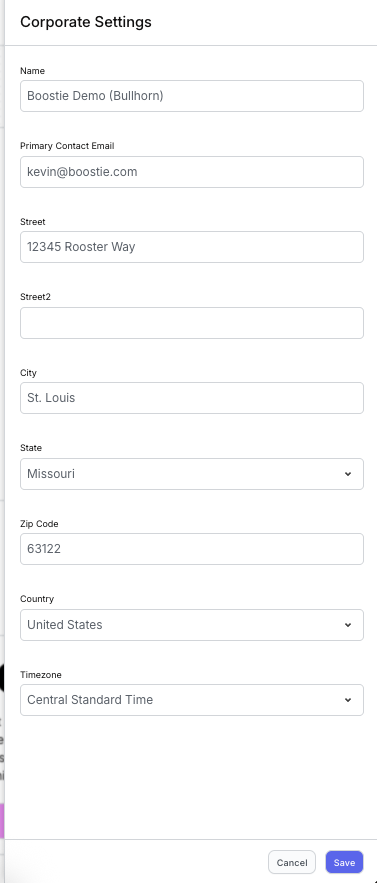
Click Edit Corporate Details on the right side below your username. A slide-out titled Corporate Settings will appear.
Fill out all required fields and click Save.
After completing your Corporate Details, scroll to the Branding Details section.
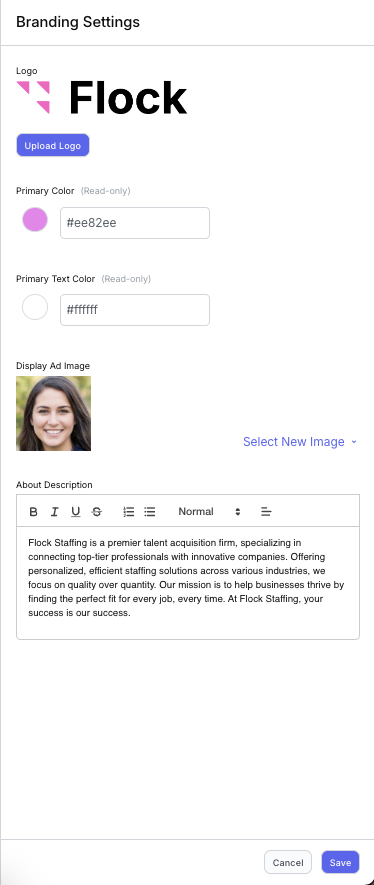
Click Edit Branding Details on the right side.
A slide-out titled Branding Settings will appear.
Upload your company logo and display ad image, and enter your external company description.
If you need help selecting your Primary Color or Primary Text Color, contact Boostie Support.
Click Save when finished.
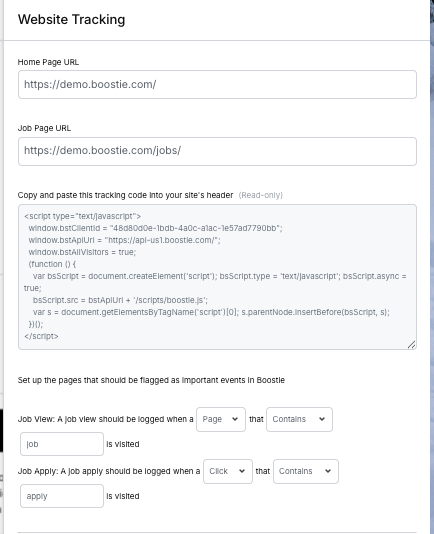
In the Website Details section, click Edit Website Details. A slide-out will appear.
Enter your company’s homepage URL and job page URL.
Have your website host login ready. Copy the provided tracking code and paste it into your website’s header. If you're not familiar with your site’s admin console, contact your website administrator or support team. This step is quick once you have access.